Large Format Scanning Software Overview

SmartWorks EZ software (included)
Windows Image Acquisition interface (WIA/STI) (included)
Scanner utility software (included)
SmartWorks Pro software (optional)
SmartLF ISIS driver software (optional)
Third party software (optional)

Included scanning software

All Colortrac SmartLF large format scanners are supplied with the following software included in the price.

SmartWorks EZ software


SmartLF screenshot

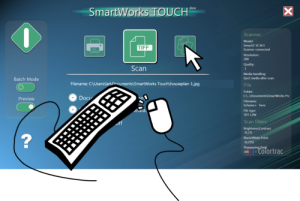
SmartWorks EZ software is very simple to use and designed for operation by non-specialist users. Choose your preferred method of controlling the SmartLF scanner with either keyboard, mouse or touch-screen modes, while providing all the basic scan to file and scan to copy functionality you need. SmartWorks EZ software saves your scanned documents as PDF, TIFF or JPG files individually or as a batch, and makes document copies to any printer through standard Windows printer drivers.

Supported File Formats

SmartWorks EZ v1.0.4.0 March 2011

Format Name  Description
TIFFblack and white, greyscale or color, no compression
TIFFG4black and white, lossless, fixed compression
JPEGgreyscale or color, lossy, fixed compression
PDFblack and white, greyscale or color, lossy, fixed compression
PNGcolor (256 mode only), lossless, fixed compression

Windows Image Acquisition interface (WIA/STI)

WIA is a technology that enables graphics software to communicate with imaging hardware such as scanners and digital cameras.

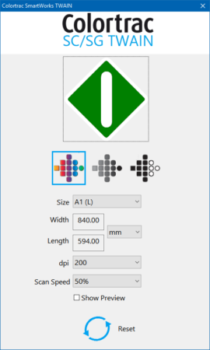
The WIA interface supplied with all Colortrac SmartLF wide format scanners means that you can use your scanner to scan directly into any imaging application that supports WIA/STI, for example Photoshop.

Scanner utility software

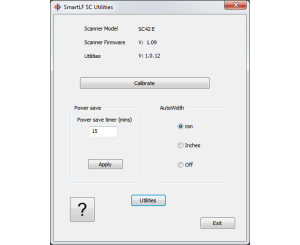
All Colortrac SmartLF large format scanners are supplied with utility software that includes everything you need to keep your scanner in prime working condition and up-to-date with the latest firmware and driver versions.

Optional scanning software

If you have a more demanding scanning need, we recommend the following optional scanning software.

SmartWorks Pro software - One Interface, Three Applications


SmartWorks Large Format Scanning and Copying Software

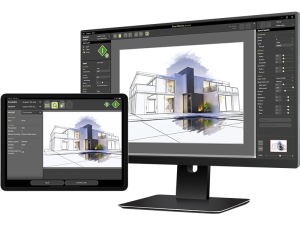
Using a Mouse or Touch Screen enabled displays, the intuitive Graphical User Interface guides you quickly through the Scan-once workflow, making rapid changes to the image quality if required.

Use the 10 Preset Filters for quick pre-selection of your key scanning parameters. Intelligent Adaptive Thresholding allows the automatic removal of unwanted background to provide clean copies and the fully integrated ICC color management in the SmartWorks Pro viewer provides accurate representation of scanned and printed output.

SmartWorks Pro is a cost option for any SmartLF scanner and is available in 3 variants:

SmartWorks Pro is Touch Screen enabled
  • Scan - scan only
  • Copier - copying only
  • Scan & Copy - scan to file and copy simultaneously

More information about SmartWorks Pro software
Click here to download an evaluation version of SmartWorks Pro

SmartLF ISIS driver software


Isis Screenshot
 

ISIS® (Image and Scanner Interface Specification) is a software standard developed and supported by Pixel Translations. Any scanner using the ISIS interface presents a familiar set of dialog boxes and scanner controls that reduce the operator learning time required when a new scanner is introduced. The ISIS driver is for use with ISIS compatible document data capture / document management applications.

More information about the SmartLF ISIS driver

Third party software

Certified third party software supplied by independent software vendors who have integrated dedicated SmartLF large format scanner support into their applications.

More information about third party software